
How To Get Rift Hub Key – Step by Step Guide April 2026
If you are new to Rift Hub, then you need to get its key before you can fully access this Roblox script hub. The Rift key system is the safest and secure compared to many other key scripts.
To get the Rift hub key, you need to visit the Luaarmor website, where you will perform simple tasks. Once finished, you will get a unique key that you can use for 24 hours.
We know that visiting key sites to get keys is difficult, but devs need it to monetize their services. The sole purpose is to maintain the cost of running this beautiful Roblox script hub.
If you want to avoid ads and visiting third-party sites, you can also buy the Rift hub premium key. There are two methods to get the Rift key: either https://rifton.top/getkey, open this link and get the key and then run the Rift Hub script, and then redeem the key. Or you can follow the standard steps below.
Here is the full process to execute the Rift Hub in your Roblox game to access all the features.
How To Get Rift Hub Key – Key System
Follow these steps:
Learn how to use configruations in Rift and save manager module.
Step 1. First, download Roblox Executor and play any supported Rift Hub game.
Step 2. Copy and paste the scripts from our Official Rift site and execute them.
Step 3. Once you execute this script, a window will appear. Copy the Get key link provided by Rift.
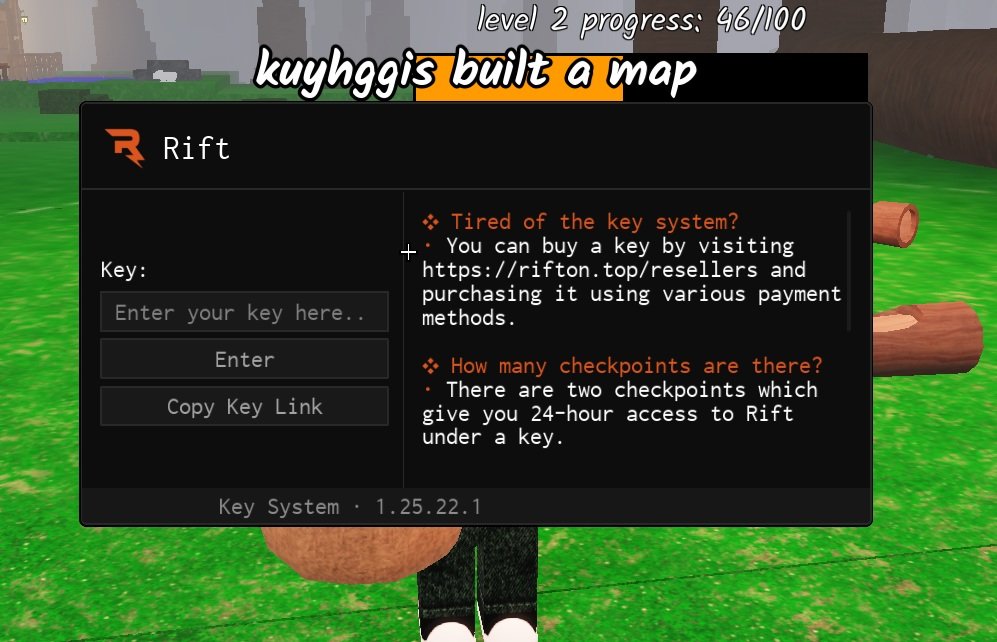
Step 4. Paste the key link into your browser of choice and begin the key system process. Click out of any advertisements or pop-ups. (You will visit https://ads.luarmor.net/get_key?for=Rift__Rinku-scQzNGXPcQJJ where you will perform simple tasks.)

Step 5. Click on any available task and complete it. After you’ve done all of the steps, you will get the Rift Hub key.
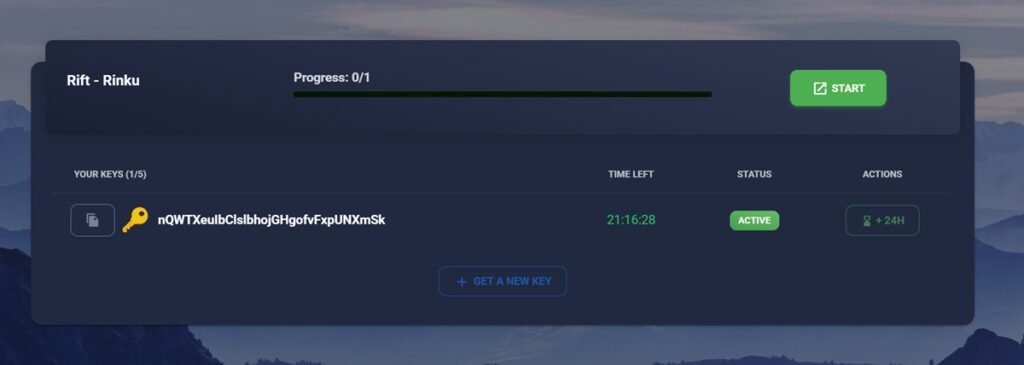
Step 6. Paste your key in the loader and you’ll be good to go!

Check the Rift Changelog to see what new improvements have been made.
Rift Key System Page is Not Loading – What To Do?
There are several possible reasons why the page isn’t loading. Try the following solutions:
- Disable any ad-blocking software, including browser extensions and firewall-based blockers.
- Turn off any VPN or proxy services that might be interfering.
- Change your DNS settings to use 1.1.1.1, a fast and privacy-focused DNS provider.
- Try using a different browser, such as Google Chrome or Firefox.
Why is my key Invalid?
Your key may be invalid because you’ve switched your executors. When you do this, this causes our service to think you are a different person. You’ll need to clear your browser cache and redo the key system to regain access.
Relevant External Links
- https://rifton.top/bbgetkey – Access this link to get direct access to the Rift get key section and start BetterBypasser – Rinku process to get key.
- https://rifton.top/getkey – Access this link and choose your preferred method to get your Rift script key. Either buy the Rift Premium key or go through the Rinku tutorial to get a free key.
- https://rifton.top/resellers – Open this link to get lifetime access to the Rift hub. You can purchase the Riftontop hub script via 4 different payment gateways. The supported payment methods are PayPal, cryptocurrency, Debit & Credit cards, Apple Pay, Cash App, and others.